Week 1
1: Building Top-down Levels
First steps
- Make a new blank game
- Grab the Wonderdot RPG pack from the Marketplace
Build only 3 rooms to get started
- Change background colour of level to black
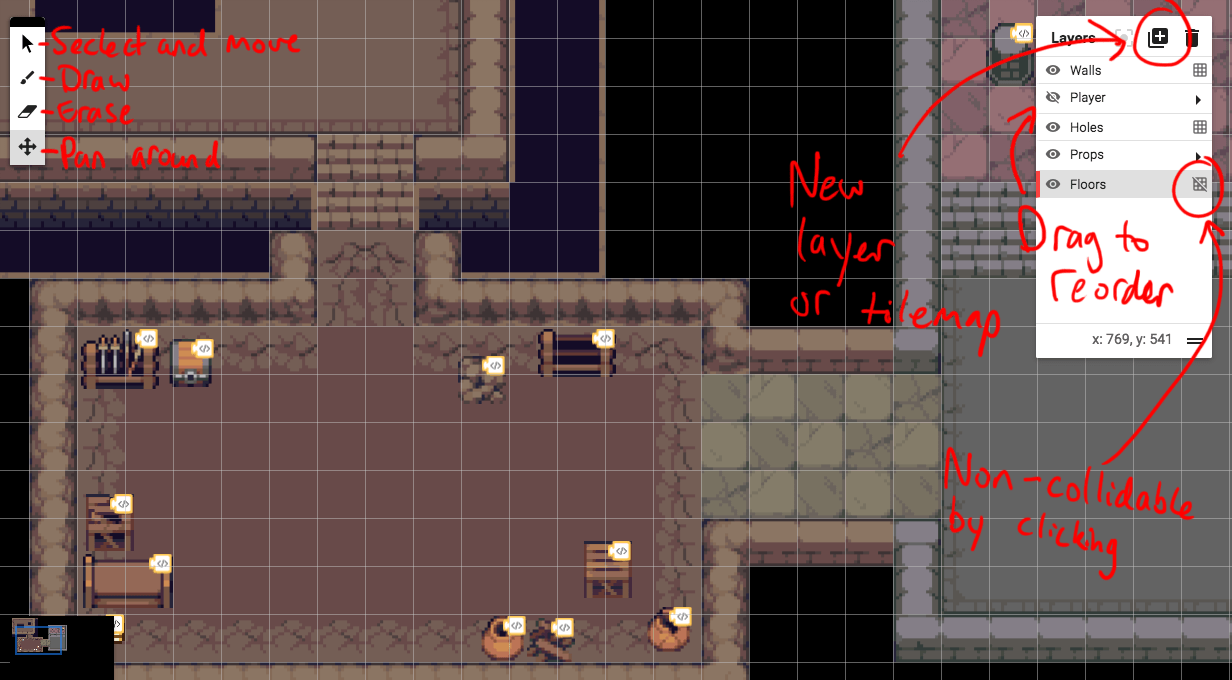
- Draw walls in tilemap
- Make new tilemap for floors, reorder layers
- Disable collisions on floor tilemap
- Make new tilemap for holes
- Make new layer for props
- Make new layer for player
- Save game
2: Player Controls
Player character and controls
- Place player character in new Player layer
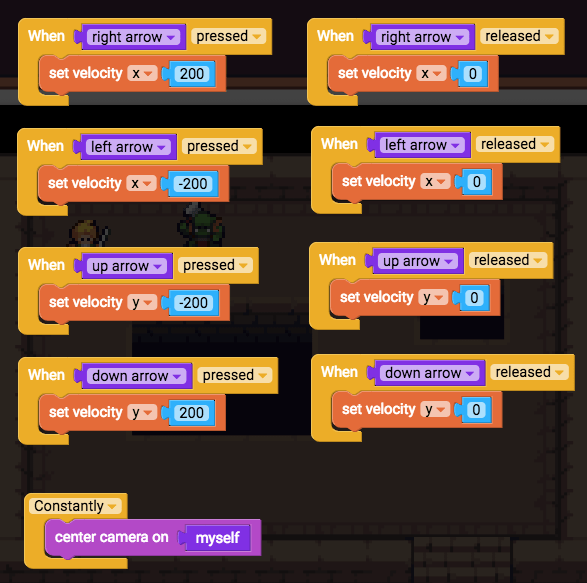
- Add new script to player
- When right arrow pressed
- Set velocity x 200
- Click play to test it (save script)
- Duplicate for all 4 directions
- Play test
- Duplicate 4 blocks for key release
- Set velocities to 0
- Play test
- Constantly, center camera on myself
- Play test
- Save game
Solid props that don’t slide around
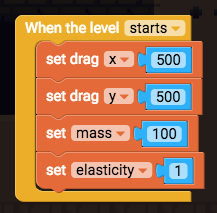
- Add script to a prop
- When level starts, set immovable true
- Close script and save “immovable object”
- Add this script to all solid immovable props
Non-solid props you can walk through
- Add script to another object
- When level starts, set physics enabled false
- Close and save “non-solid object”
- Add this script to anything non-solid

⚡ Bonus Activities ⚡
Bonus 1.1: Nicer movement with constantly if key pressed
Bonus 1.2: Solid pushable props