Step 1 - Looping with the Repeat Block
Let’s code our Chicken so that it can reach its precious Coin.
> Right-click on the Chicken and select Edit Script.
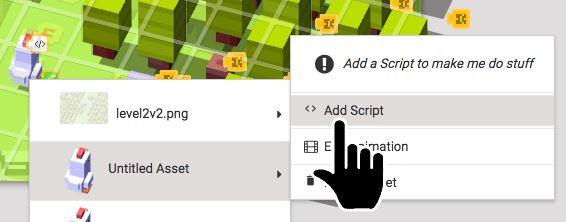
> Open Events and drag "When the level starts" into the work space on the right.
> Open Events and drag "broadcast message" into the work space.
> Open Control Flow and drag "repeat 10 times" into the work space.
As we learned in the Inputs and Outputs Tutorial, by broadcasting the messages "left", "right", "up", and "down", we can tell our chicken to move in that direction.
If the chicken has to travel quite a distance to get the coin then we’d to repeat the same direction instructions multiple times. But rather than coding something like this...
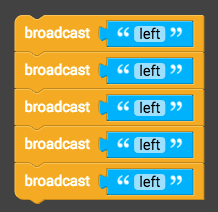
...let’s try a different approach. We’ll put blocks of code inside a loop where they'll be run multiple times.
Like this:
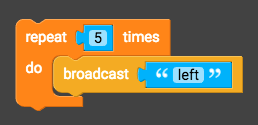
The repeat block makes a loop. We use loops to repeat instructions rather than coding them one by one. This is also known as ‘iteration’, or ‘iterating over instructions’.
Time to make our loop!
> Drag the "repeat 10 times" block inside the "When the level starts" block.
> Drag "broadcast message" into the repeat block.
> Click on "10" and change it to "3".
> Click on "message" and change it to "up".
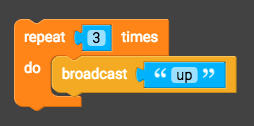
> Click Play, enter a name for your script, and click "Done".
> Your game should automatically open. Select Level 1 to see your looping code in action!
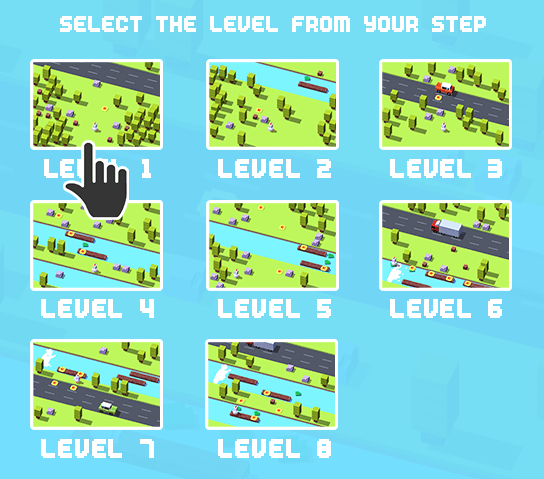
If the chicken reaches the coin then we’ve done a good job. Let’s continue to the next step.
Otherwise, have a look back over your Script and see if you can spot the bugs.