Step 4: Scripting your own touchscreen controls
If you'd prefer to create your own touchscreen controls, these are the blocks you need to know about.
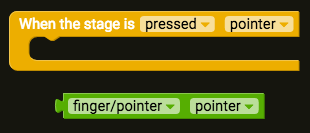
The event block to use for detecting finger(s) on a touchscreen is "When stage is pressed pointer". This block detects when the game screen is touched, and also saves the pointer as a local variable (remember, local variable values are only stored inside a single event or function). The pointer variable saves information about the mouse pointer, or fingers that are touching the screen.
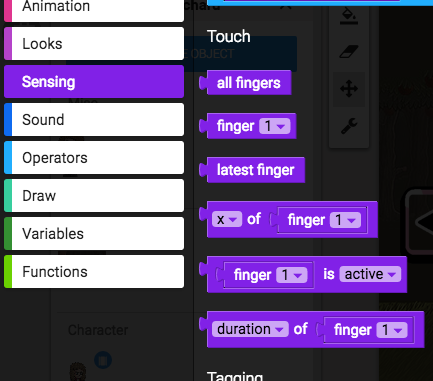
The Touch section of the Sensing tab is where you'll find blocks that can detect the position of a finger, detect the amount of time a finger has been pressing the screen, and differentiate between multiple fingers.
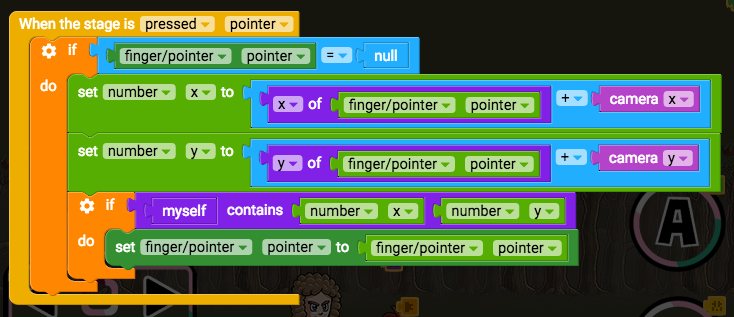
Here's an example of these blocks in use in a script: